Table of Contents
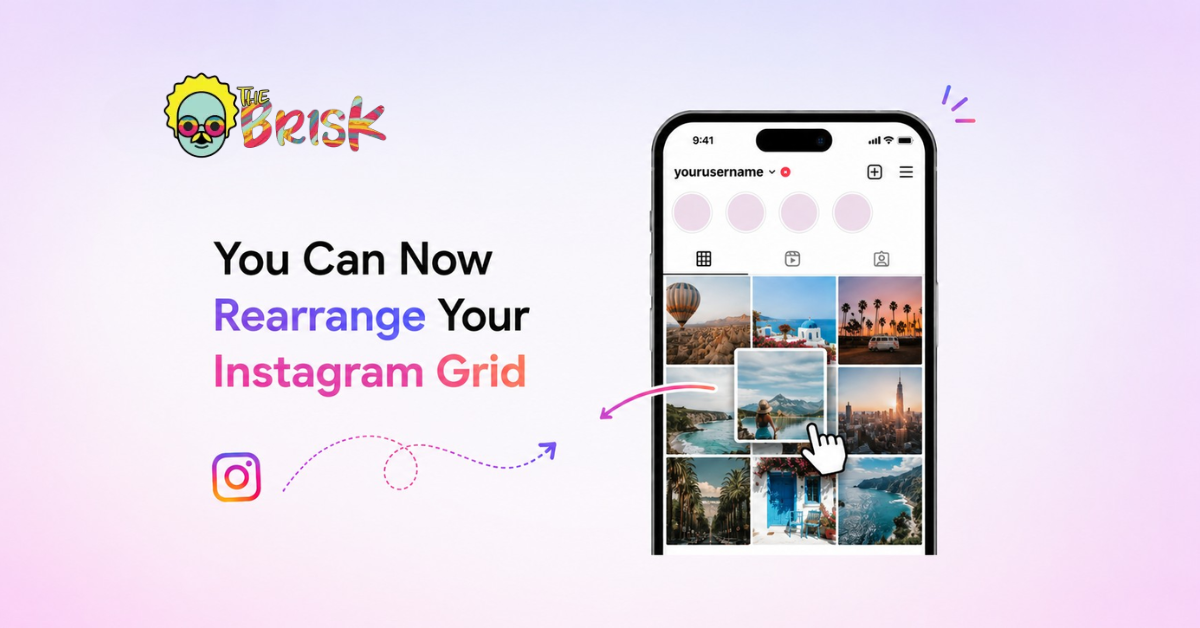
“Simply go to your profile, tap and hold any post on your grid, select ‘Reorder grid’ in the pop-up menu, long press, and drag your content to the desired position. Your changes are saved immediately.” — Instagram
For years, one of the most persistently requested features on Instagram has been the ability to rearrange posts on your profile grid. The ask seems simple: let people decide the order in which their content appears, rather than having it determined entirely by the chronology of when they posted it.
Instagram has taken its time. But the feature is now live for most users, and it’s exactly what creators and brands have been asking for: a straightforward tap-hold-drag interface that lets you reorganize your grid without deleting and re-uploading content, without third-party workarounds, and without any loss of post metadata like comments, likes, or insights.
The mechanics are simple. What’s less immediately obvious is what this means strategically — for how brands and creators should think about their profile, their visual identity, and the first impression they make on anyone who discovers them for the first time.
This article covers how the feature works, why it matters more than it might appear, and how to think about grid strategy now that you have full curatorial control.
How Instagram Grid Rearranging Works
The feature is available within the native Instagram app on both iOS and Android. Instagram has made the process deliberately simple:
- Navigate to your Instagram profile.
- Tap and hold any post in your grid. A pop-up menu will appear.
- Select “Reorder grid” from the menu options.
- The grid enters a reordering mode. Long press any post and drag it to the position you want.
- Release to drop the post in its new position. Other posts shift to accommodate.
- Changes are saved immediately and are visible to all profile visitors as soon as you exit the reordering mode.
There is no publish button or save confirmation step — the changes take effect instantly. This means you should be intentional before you start rearranging, as the new order is live to visitors the moment you make a change.
Post metadata — comments, likes, saves, and analytics data — remains attached to each post regardless of its position in the grid. Rearranging doesn’t affect any of this.
Practical tip: Before rearranging your grid, screenshot your current grid layout or note which posts are in which positions. This gives you a reference point if you decide some changes aren’t working as intended.
Why This Feature Matters, and Why It’s More Than a Quality-of-Life Update
Grid rearranging might seem like a minor convenience feature. It isn’t — at least not for anyone who treats their Instagram profile as a brand asset rather than a content archive.
Here’s the context that makes it significant:
Your Grid Is Your First Impression
When someone discovers your Instagram account — through a hashtag, a mutual follow, a search result, or a tagged mention — they don’t start by scrolling through your feed or watching your Reels. They look at your profile. They read your bio. And they scan your grid.
That grid scan takes two to three seconds. In those seconds, a potential follower forms an impression about your brand: is this visually coherent? Does it look professional? Does it reflect something I’m interested in? Is this a brand or creator I’d want to follow?
Before grid rearranging, that first impression was determined by chronology. Your most recent post was in the top-left. Whatever you happened to post in the last week was what new visitors saw first, regardless of whether it was your most representative work, your most visually striking content, or the most coherent introduction to your brand.
That’s now changed. You control what people see first.
Chronology Has Always Been the Wrong Organising Principle for Brands
A publishing archive is organised chronologically because it’s a record of when things happened. But a brand profile isn’t a publishing archive — it’s a brand communication surface. It should be organised according to what you want people to understand about your brand, not when you happened to produce each piece of content.
The tension between “what I posted recently” and “what best represents my brand” has always been a real operational challenge for Instagram marketing. Brand managers have developed elaborate workarounds: scheduling batch content to control visual sequences, archiving older posts that disrupted visual coherence, and even deleting and reposting content at strategic times to ensure it appeared in the right position.
All of those workarounds are now unnecessary. The feature that should have existed from the beginning of brand-driven Instagram marketing is here.
How to Think About Grid Strategy Now
Having the ability to rearrange your grid doesn’t automatically tell you what the ideal arrangement is. Grid strategy depends on your brand identity, content mix, and what first impression you want to create. Here are the frameworks worth considering:
The Visual Identity Framework
For brands with strong visual identities — consistent colour palettes, branded photography styles, distinctive graphic design — the grid is an opportunity to create a visual story. A well-curated grid creates a coherent visual impression that communicates brand identity before a visitor reads a single word.
With rearranging enabled, you can now ensure that your most visually representative content is prominently positioned. Posts that use your brand’s signature colours, typography, or photography style can anchor the visible portion of your grid. Content that’s technically fine but visually inconsistent can be pushed further down.
The Campaign Prominence Framework
For brands that run campaign-based content calendars — product launches, seasonal campaigns, partnerships — grid rearranging enables campaign content to be positioned prominently at launch and throughout the campaign period without being displaced by ongoing content.
Previously, if you posted three pieces of campaign content and then continued posting your regular content, the campaign posts would move down the grid as new content pushed them out of the top rows. Now, you can pin campaign content to prominent positions and reorganise as campaigns conclude.
The Best-Work-First Framework
For creators building a portfolio or showcase presence — photographers, illustrators, videographers, musicians — the grid is a curated portfolio, not a chronological archive. The ability to ensure your strongest work appears in the top rows, visible to anyone who discovers your profile, is genuinely valuable.
The visitor who lands on your profile and sees your three most impressive pieces of work in the first row has a different first impression than one who sees three pieces you happened to post most recently. With rearranging, the former is now the default choice rather than the exception.
The Seasonal Refresh Framework
Seasonal businesses — hospitality, tourism, retail, events — have content that is highly relevant at certain times of year and less so at others. Grid rearranging enables seasonal content to be surfaced during relevant periods and repositioned when seasonality passes, without deleting posts that remain valuable as archive content.
What This Feature Doesn’t Change
Grid rearranging is meaningful, but it’s worth being clear about what it doesn’t affect:
- Reel and Stories visibility: The feature applies to the standard grid view. Pinned posts remain pinned; Reels appear in the Reels tab; Stories are ephemeral regardless.
- Algorithm reach: Moving a post’s position in your grid doesn’t change its reach in the feed algorithm. The algorithm distributes posts based on engagement signals and relevance, not grid position. Grid organisation affects profile visitors; it doesn’t affect how content is distributed to non-followers.
- Post engagement history: All comments, likes, and saves remain attached to each post regardless of position.
- Chronological timestamp: The original posting timestamp doesn’t change. If someone sorts or filters by date (in contexts where that’s possible), the original posting order is preserved.
Conclusion
Instagram grid rearranging isn’t the feature that will transform your results on its own. But it removes a genuine constraint that has affected how brands and creators think about their profile strategy since the platform launched.
For the first time, your Instagram profile can be curated rather than chronological. The impression you make on a new visitor can be intentional rather than accidental. Your best work can lead. Your campaign content can stay prominent. Your visual identity can be consistent regardless of what you happened to post most recently.
That’s a meaningful capability. The brands that use it thoughtfully will have profiles that communicate more clearly, retain visitors longer, and convert discovery into follows at a higher rate than profiles still organised by accident of chronology.
The feature is live. The strategic opportunity is yours to take.
Want an Instagram presence that turns profile visitors into followers and followers into customers?
The Brisk Digital builds Instagram strategies that combine creative direction, profile optimization, and content planning into a cohesive brand presence.
Let’s make your Instagram work harder.





No Comments